IntervalsWellnessSync
Your Apple Watch health data → Intervals.icu
Sleep, HRV, heart rate, and morning wellness — synced automatically.
Download on TestFlight
Your Apple Watch health data → Intervals.icu
Sleep, HRV, heart rate, and morning wellness — synced automatically.
Download on TestFlightGarmin and WHOOP sync to Intervals.icu natively. Apple Watch doesn't.
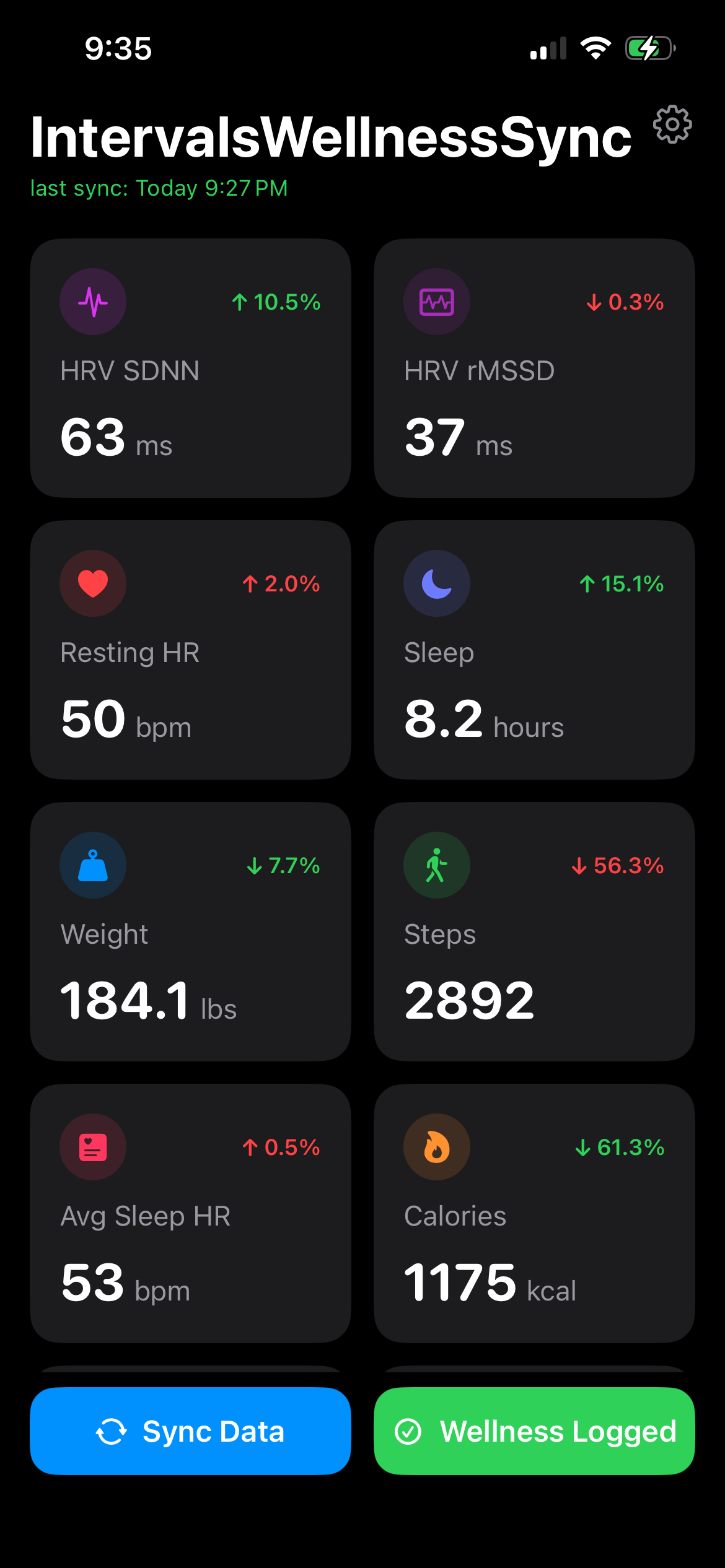
If you've been manually entering detailed wellness data every morning, or just skipping it. You can stop today. Now, just enter self-reported data when you get your morning notification all other details are synced automatically.
Sleep duration, sleep score, HRV, resting heart rate, weight, SpO₂, menstrual cycle tracking, and more — pulled from HealthKit and uploaded to your Intervals.icu wellness log.
Sleep score computed from duration, sleep stages, continuity, efficiency, and heart rate — modeled after Apple's approach. All readings filtered to confirmed sleep periods only.
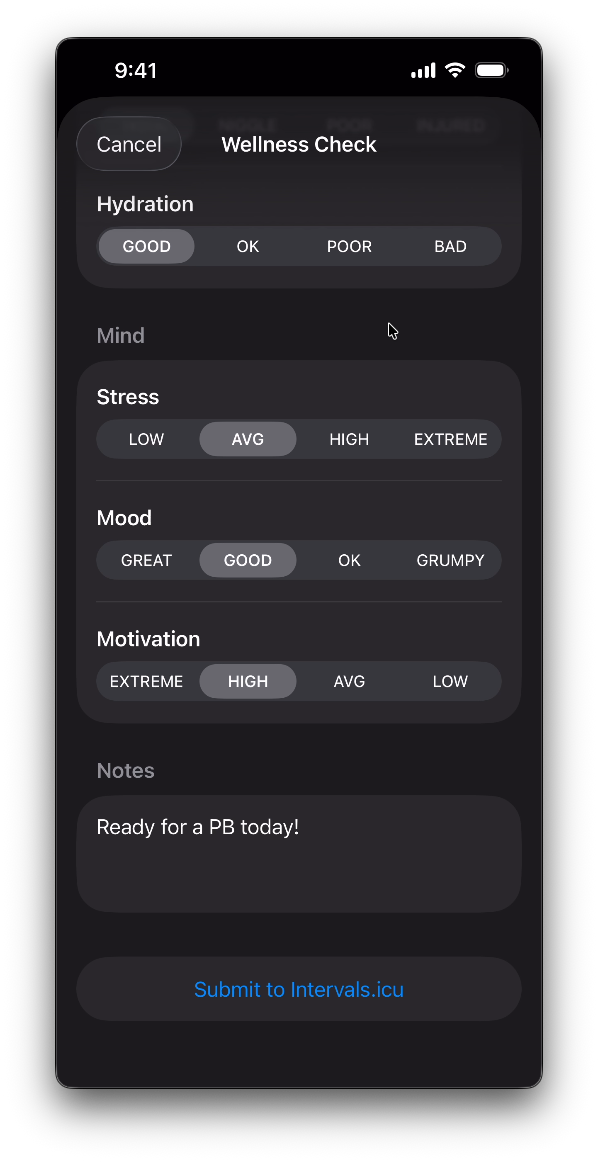
A notification prompts you each morning. Tap through sleep quality, soreness, fatigue, stress, mood, and motivation on a simple 1–4 scale.
Submitted directly to Intervals.icu. Done in 15 seconds.
Opt-in overnight mode that records beat-to-beat heart rhythm data and computes rMSSD — the gold-standard HRV metric for recovery tracking.
Goes beyond Apple's single spot-check SDNN reading. See the algorithm on GitHub →
Already have a Garmin or Oura syncing certain metrics? Exclude those per-metric so nothing gets overwritten.
The app fits into your existing setup, not against it.

No health data middleman. Your wellness data goes directly from your device to your Intervals.icu account over HTTPS. The authentication server is only used for the secure initial sign-in.
The Enhanced HRV mode captures RR intervals overnight using HKHeartbeatSeriesBuilder, applies a 3-stage artifact correction pipeline (Plews method), and computes rMSSD per 5-minute epoch. The nightly result is the median Ln(rMSSD) — robust against outliers and aligned with published sports science methodology.
No analytics. No tracking. No ads.
Your health data goes directly from your device to your Intervals.icu account. Sign-in uses OAuth — you authorize through Intervals.icu, and your password never touches the app. The auth server handles only the token exchange; no health data passes through it.
No API keys to copy. No developer settings to dig through. Just sign in and go.
Questions or feedback? Find me on the Intervals.icu forum →